
You may have seen an ad about an ergonomic chair. People with smiles on their faces (maybe AI-made, maybe not) sitting.
Big promise: “You’ll never have back pain again!”
Sounds good. But even after a few weeks of working from home and the office, your back still hurts. Sometimes it hurts even more.
So what’s the problem? Is it the chair? Or is it how you’re using it?
For years, I’ve been giving desks, chairs, and office cubicles and partitions to government agency, BPOs, and people who work from home.
These are the real mistakes I keep hearing and what I’ve seen work:
Myth 1: If it says “ergonomic,” it must be comfortable.
Not all the time. Ergonomic does not mean soft. It doesn’t mean fancy. And it doesn’t mean expensive at all (if that’s what you were thinking, haha).
Ergonomic means that the chair supports your body in the right way. Some ergonomic chairs feel hard at first. But that’s not a bad thing. It might seem strange, but the first day of pain relief doesn’t always feel comfortable. That stiffness is what keeps your spine straight and stops your muscles from working too hard.
People have said to me, “Ma’am, the chair is too hard.” So I ask, “Have you already changed the lumbar support?” Most of the time, the answer is “What?” What is that?
You need to set up your chair correctly for it to work.
Quick tips here:
- Feet flat on the ground. If they’re hanging down, like a 3-year-old’s feet, something is wrong.
- Another tip, a lot of people miss this one. Knees should be about level with hips.
- And the chair’s backrest should fit your back.
Myth 2: Mesh seats are better than leather chairs
I used to always suggest mesh seats, but then I heard complaints from people with sensitive lower backs.
Mesh seats are great especially in the Philippines. They breathe, and you feel comfy with them. You don’t get to feel your sweaty butt. They also appear new.
But always better? Not really.
It’s not good for people who like additional padding or have sensitive lower backs.
Some managers I’ve talked to like hybrid designs. They are the chairs with mesh backs to let air flow and well-cushioned chairs for comfort. They’re great but they’re hard to find, and they cost a lot of money.
Instead of asking which one is better, ask yourself what you really need.
If your office is hot most of the time, look for mesh. If you share seats, like in a 24/7 BPO, mesh is also good.
Myth 3: Standing workstations can help with back pain
I personally believed this myth. I put a standing desk in my little workplace. Used it for a few weeks. And you know what? It ended up in the Facebook marketplace a few months later. Well, it didn’t help.
Some people think standing while doing office work is good for health. Well, that maybe true, but it would be only for a few weeks until they find out their knees swelling and hurting. And they’ll discover that the pain went away, yes, from their back to their feet and knees. That’s mine, haha.
The problem, really, wasn’t about standing desks, it’s about balance. I mean, you don’t stay the whole working day standing in front of your PC. You may alternate between standing and sitting. Or you move around after your 30 minute standing, then back to work, sitting this time.
After learning how to use these workstations correctly, we did provide them to some clients who wanted them.
But one day a client said to me, “I bought your standing desk to save my back, but now my legs are hurting.”
We fixed his workstation to the optimum height and told him to change positions and move around every now and again. Slowly, the pain went away.
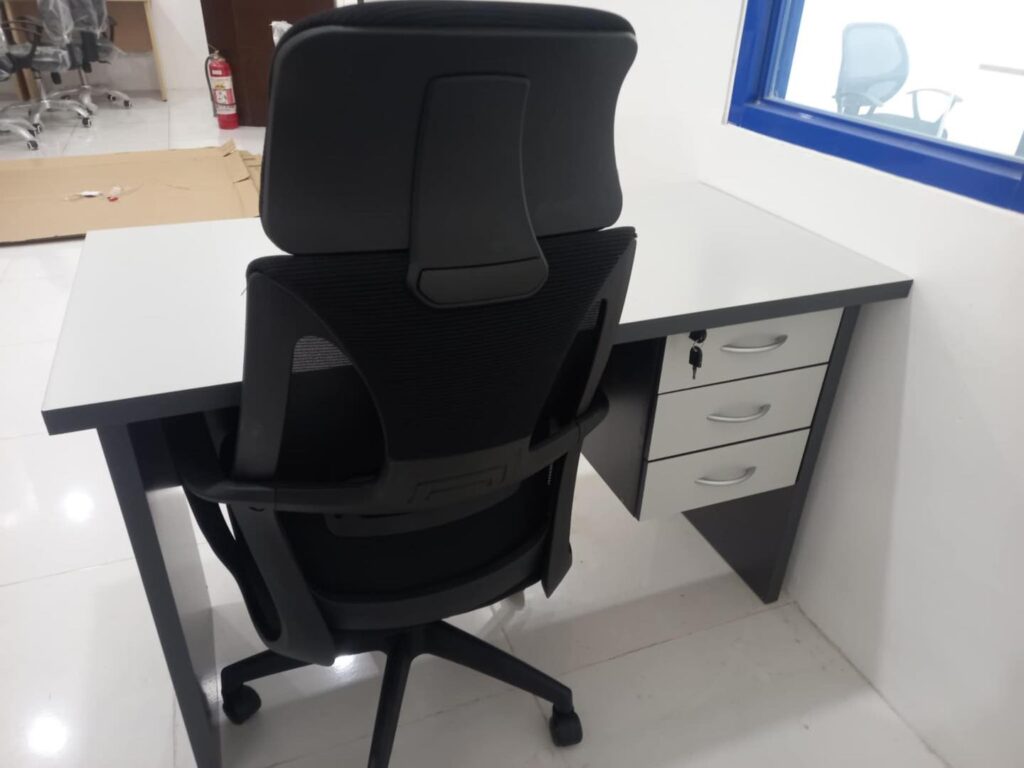
Myth 4: A chair with a headrest is better for your back.
Headrests seem nice, but they don’t help with back strain.
They only work if you lean back a lot, like when you’re on the phone or in a conference. The headrest won’t touch your neck too often if you have to type all the time or look forward.
Instead, pay attention to these 2 important things. First, support for your lower back should match your spine. and second, the depth of the seat should let your back rest completely.
The headrest is just a nice add-on to see.
Myth 5: You need a new chair if your back hurts.
Well, maybe. But if you sit for too long, slump, or lean to one side all the time, even the nicest chair won’t help.
It would be just better to move around every now and then. No matter how premium your chair is, pain would eventually creep in.
A BPO client bought a 12-seater conference table and also got rid of their two hundred outdated chairs and replaced them with ours (good order, yes, for us). But after a few months, some employees still said they had slight back pain. We told them to take small breaks every hour and do quick stretches.
No more problems after a few weeks.
Myth 6: Everyone has the same ergonomics.
A tall person and a short person will never be able to use the same chair settings and adjustments. The height, tilt, lumbar depth, and position of the armrests should all be adjustable.
A 2017 study (Journal of Physical Therapy Science, Vol. 29, Issue 9, pp. 1649–1652) found that after an hour of sitting, people without active lumbar support showed more lower-back fatigue and stiffness while a lumbar support that gently changes shape helped keep their backs steadier and less strained.
If you share a desk (which is frequent in call centers and even small offices) or switch between home and work, take a minute every day to adjust your chair before you start working.
If you’re short, lower your seat at work. At home, adjust your monitor at eye level. And If you’re still working from home with your dining chair, get what suited for you, and not that dining chair.
Your back and hybrid work
Hybrid work transformed the way we sat.
Just about 10 years ago, everyone had the same office setting. But now many people work at kitchen tables, coffee shops, or even in the corners of their bedrooms. Because of these changes, your posture and furniture keep changing. That irregularity puts stress on your back.
You don’t need to build up a whole business at home. You only need the right basics:
- Chair height: You elbows should be at a right angle when typing.
- PC monitor: The top of the screen should be at or just below eye level.
- Keyboard: around the length of one forearm.
If you need to, use a tiny box or footrest to keep your feet flat.
A freelancer informed me once that she had been using a dining chair for two years. “I thought back pain was part of the job.”
We provided her a mesh chair for her mid-back that is good for her back. She vibered me about two weeks later to say thank you and that she was thrilled.
Myth 7: Furniture that is good for your back is expensive
That’s not true.
But going too cheap is a bigger waste. Because you’ll replace it faster and you’d be paying it with your back.
You can get a solid adjustable ergonomic chair for around ₱6,000–₱10,000, and if you set it up properly, it can last you for years.
Steelcase is a great high-end brand, but there are also good mid-range brands like Sihoo and Ergonomic, as well as our own GREATWORKS ergonomic mesh chairs.
The goal isn’t to get the most expensive one. It’s to get the one that matches your body and the time you’ll be using it.
What really helps your back
I didn’t get this information from brochures. People complained and then came back, so I learnt it. This is what works:
- Every 30 to 45 minutes, stand up, stretch, and walk.
- The right height for a desk. No bending, no reaching.
- Strong support. Soft isn’t always the best choice.
- Being aware. Change something, the seats, the tilt, armrests, whatever, if it hurts.
After years of delivering chairs to call centers, offices, and home workstations, I’ve noticed the same thing over and over.
Most of the time, the chair isn’t the real problem.
We’ve installed expensive ergonomic chairs and people still complained. Then we’ve installed simple mesh chairs and people were totally happy because they were easy to adjust.
It was seldom about the brand or the price. What mattered most was whether the person moves, change positions, and pays attention to her body
Hybrid work made this even more plain. One minute you’re on an office chair, next you’re on a dining chair, then you’re hunched over a coffee table and your body feels it instantly.
So yes, office furniture helps but your daily habits matter more, even if you’re sitting on the best chair money can buy.